Request a Quote

SPI LED Controller Technology

How SPI controllers send pixel data down addressable LED strip, so every LED can show its own colour and effects can run along the strip.

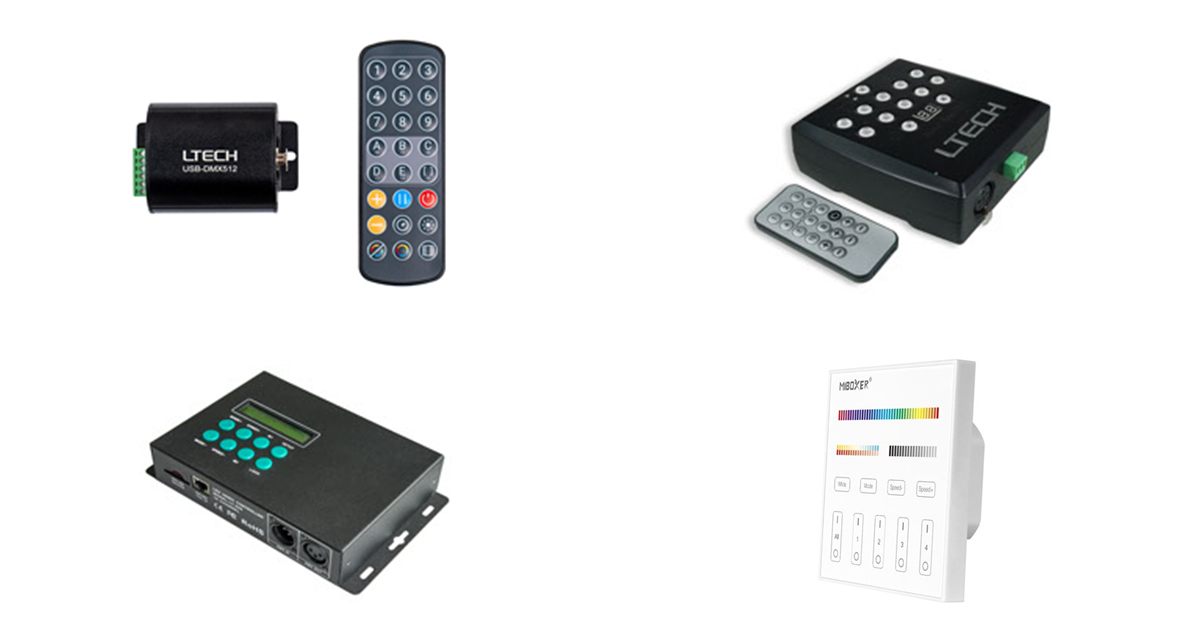
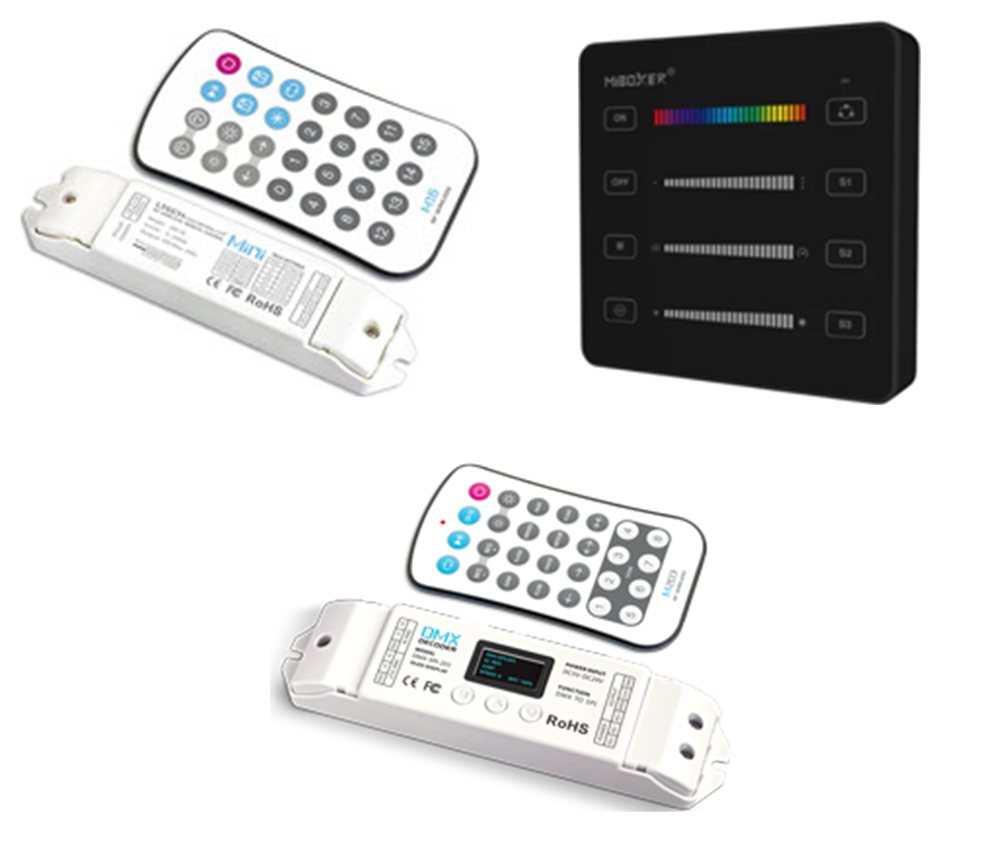
LT-SPI-16S+M16S controller, B6 SPI panel and DMX-SPI-203+M203 controller

Overview

What are SPI LED controllers?

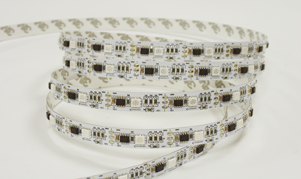
Addressable LED strip has a small driver IC in every pixel, or every few LEDs. An SPI controller sends a serial data signal along the strip, and each IC picks out its own colour and brightness, so every pixel can be set on its own.

That makes moving effects possible: chases, meteors, flows and rainbows that run along the strip. Our range includes standalone controllers with built-in effects and RF remotes, and DMX to SPI decoders that bring pixel strip into a DMX512 lighting scheme. They drive single colour, RGB and RGBW pixel strip.

  • SPI (TTL) data out to pixel ICs
  • Up to 2048 pixels per controller
  • RF 2.4GHz remote, panel or DMX512 control
  • 5–24V DC supply
  • Single colour, RGB and RGBW pixel strip
SPI controllers at a glance

  • Output: SPI (TTL) data
  • Pixels: Up to 2048
  • Supply: 5 to 24VDC
  • Control: RF 2.4GHz, DMX512, RDM
  • Built-in effects: 16 to 300
  • Strip type: Mono, RGB, RGBW
  • ICs: WS2811, WS2812B, TM1809, APA102…
Request a Quote Technical Enquiry

The technology

How an SPI controller works

The controller sends a stream of colour data down the DATA line. The first pixel IC keeps the first set of values, three for RGB or four for RGBW, and passes the rest on to the next pixel, and so on to the end of the strip.

The controller repeats the stream many times a second, changing the values to create effects. It needs to know the number of pixels and the colour order of the strip, and on some models the IC type.

The strip takes its power from the DC supply. On long runs, inject power at several points along the strip so the far end does not dim.

An RF remote or DMX console controls an SPI controller. The controller sends one data line into an addressable LED strip, where each pixel IC takes its own colour and passes the rest on. A DC power supply powers the controller and the strip. One data line through every pixel Remote or DMX console RF or DMX512 DC power supply 5–24V DC to the strip SPI controller up to 2048 px Addressable LED strip DATA Each pixel IC takes its own colour and passes the rest of the data on
Simplified illustration: one data line runs from the controller through every pixel IC. Two-wire ICs such as the APA102 also use a clock line.

Pixel ICs

One-wire or two-wire ICs?

The IC in the strip sets how the controller must send its data. Check that the controller supports it.

FeatureOne-wire ICsTwo-wire ICs
Signal linesDATA onlyDATA and CLK (clock)
TimingFixed data rate, usually 800Kbps, some 400KbpsSet by the clock line
Example ICsWS2811, WS2812B, TM1809, UCS1903, SK6812, SM16703APA102, WS2801, LPD8806, LPD6803, P9813
Our controllersAll modelsLT-SPI-16S, DMX-SPI-202, DMX-SPI-203, SPE-103E

Our range

SPI controllers compared

Ratings from each controller's datasheet.

ControllerControlPixelsSupply / outputEffects and set-up
LT-SPI-16S + M16SM16S RF 2.4GHz remote8–10205–24VDC / max. 10A16 modes; IC, pixels and RGB order set from the remote
SPIR3B6 panel or C6 remote, RF 2.4GHz, push switchMono 2048, RGB 1536, RGBW 10245–24VDC / 10A20 modes; IC detected automatically
SPIR3-MB6 panel or C6 remote, RF 2.4GHz, push switchMono 2048, RGB 1536, RGBW 10245–24VDC / 6A20 modes; mini size 76 × 19 × 9.5mm
SPE-103E-RGBRF remote, up to 10m300–20485V or 12V versions300 built-in programs
LT-DMX-1809DMX512512 channels per unit5–24VDCDIP switch address; 800K/400K speed; self-test modes
DMX-SPI-202DMX512 / RDM170 RGB or 128 RGBW; up to 1020 virtual5–24VDCOLED set-up; 16 built-in modes
DMX-SPI-203 + M203DMX512 and M203 RF remoteUp to 10245–24VDCOLED set-up; 28 modes, 540 effects

The B6 wall panel and C6 handheld remote control the SPIR3 and SPIR3-M from up to 30m.

Benefits

Advantages of SPI pixel control

Why addressable strip and an SPI controller go further than standard RGB strip.

Every pixel on its own

Each pixel can show a different colour, rather than the whole strip changing together.

Built-in effects

From 16 to 300 ready-made chases, meteors, flows and fades, with speed and brightness control.

Simple wiring

One data line runs the whole strip, so there is no extra cable for each colour channel.

Wireless control

RF 2.4GHz remotes and wall panels, with scene save on the B6 and C6.

DMX integration

DMX to SPI decoders let a lighting console program pixel strip with the rest of a DMX scheme.

Wide IC support

Works with the common pixel ICs, from the WS2811 and WS2812B to the APA102.

Selection & set-up

Choosing and setting up an SPI controller

  • Check the IC: confirm the controller supports the strip's pixel IC, and whether it is one-wire or two-wire.
  • Count the pixels: make sure the run is within the controller's pixel limit for RGB or RGBW.
  • Choose the control: an RF remote or panel for standalone effects, or a DMX to SPI decoder for a DMX scheme.
  • Match the voltage: use a DC supply that matches the strip, 5V, 12V or 24V, within the controller's input range.
  • Set the strip up: set the pixel count and colour order, and the IC type or speed where needed.
  • Feed the power: inject power along long runs, and keep the data cable from the controller short.
2048
Max. pixels
300
Max. built-in programs
30m
RF control distance
5–24V
Supply range

Where SPI controllers are used

Wherever light needs to move along a strip.

Architectural

Facade outlines and building edges with moving colour.

Retail and signage

Shop fronts, displays and illuminated signs that catch the eye.

Entertainment

Stage, bar and venue effects, programmed from DMX.

Home and hospitality

Coves, stairs and ceilings with scenes saved on a wall panel.

Events

Exhibition stands and seasonal displays with chase effects.

OEM products

Pixel effects built into custom LED products and fittings.

Explore

Explore pixel lighting

Browse addressable strip and DMX control.

FAQ

SPI LED controller questions

An SPI LED controller sends a serial digital data signal to addressable (pixel) LED strip. Each pixel has its own driver IC that reads its colour from the data stream and passes the rest along, so every pixel can show a different colour and moving effects can run along the strip.

A standalone SPI controller runs its own built-in effects and is set from an RF remote or panel. A DMX to SPI decoder, such as the LT-DMX-1809, DMX-SPI-202 or DMX-SPI-203, takes a DMX512 signal from a lighting console and converts it to SPI, so the pixels can be programmed as part of a larger DMX scheme.

The SPIR3 and SPIR3-M drive 2048 single colour, 1536 RGB or 1024 RGBW pixels, the SPE-103E up to 2048 pixels and the LT-SPI-16S 8 to 1020 pixels. In DMX decode mode, the DMX-SPI-202 controls 170 RGB pixels from 510 channels, or up to 1020 pixels using its virtual pixel function.

Most controllers support the common one-wire ICs such as WS2811, WS2812B, TM1809, UCS1903 and SK6812. The LT-SPI-16S, DMX-SPI-202, DMX-SPI-203 and SPE-103E also support two-wire ICs with a separate clock line, such as APA102, WS2801 and LPD8806. Check the datasheet for the full list.

Not on the SPIR3 and SPIR3-M, which detect the chip automatically. On the LT-SPI-16S the IC type, pixel count and RGB order are set from the M16S remote, and on the DMX-SPI-202 and DMX-SPI-203 they are chosen on the OLED display. On the LT-DMX-1809, DIP switch 10 selects 800K or 400K data speed.

Need help choosing a controller?

Our team can help you match SPI controllers, pixel strip and power supplies for your project.

Talk to Our Engineers